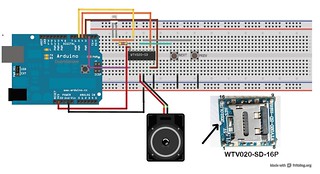
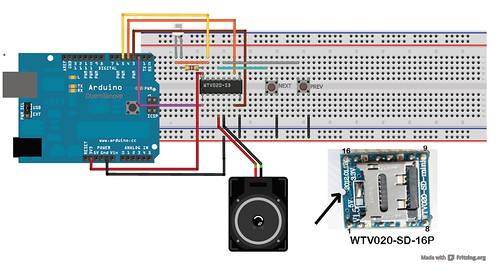
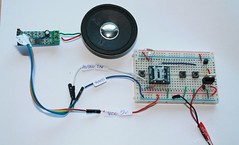
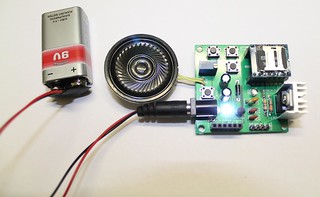
The following schematic shows the MP3 mode of WTV020SD module. The schematic and its operation has been better explained on its product manual.
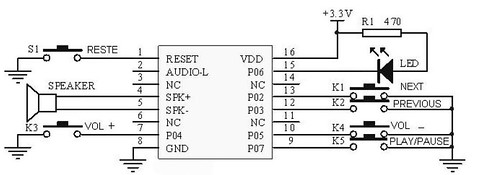 I followed the schematic but I connected only RESET, PREV and NEXT switches only for this experiment.
Steps:
a. Copy AD4 format music files on to your 2GB micro SD card.
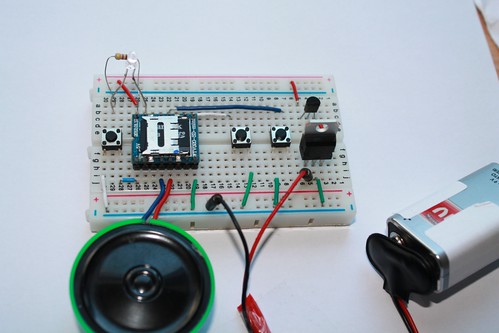
b. Connect speaker, 3.3V regulator, switches and power supply. See the connection on the image given below.
I used a 5V and a 3.3V regulators for this project. I noticed that the 3.3V regulator heats up heavily when connected to a 9V battery, so I connected the battery to a 5V regulator first and then to the 3.3V regulator. I used a 2GB microSD card for this experiment.
If you use a 6V battery, you can connect the power supply straight to 3.3V regulator.
I followed the schematic but I connected only RESET, PREV and NEXT switches only for this experiment.
Steps:
a. Copy AD4 format music files on to your 2GB micro SD card.
b. Connect speaker, 3.3V regulator, switches and power supply. See the connection on the image given below.
I used a 5V and a 3.3V regulators for this project. I noticed that the 3.3V regulator heats up heavily when connected to a 9V battery, so I connected the battery to a 5V regulator first and then to the 3.3V regulator. I used a 2GB microSD card for this experiment.
If you use a 6V battery, you can connect the power supply straight to 3.3V regulator.
 If this is your first experiment with WTV020SD-16P module, I strongly recommend you to read this article. The recommended article explains about the size of micro SD card and audio formats.
The project works with a 2GB microSD card and AD4 format music files.
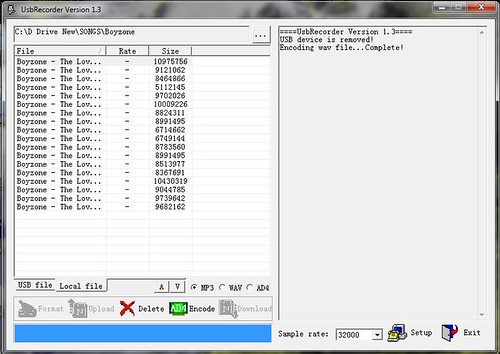
Click here to know how to convert a wave or mp3 format files to AD4 format.
If this is your first experiment with WTV020SD-16P module, I strongly recommend you to read this article. The recommended article explains about the size of micro SD card and audio formats.
The project works with a 2GB microSD card and AD4 format music files.
Click here to know how to convert a wave or mp3 format files to AD4 format.
 Related Tutorials:
a. About WTV020SD-16P module.
b. MP3 mode of WTV020SD-16P
c. Mp3 mode and audio amplifier.
d. Basic circuit with Arduino- example 1.
e. Basic circuit (trig and select) example 2.
f. How to convert mp3/wave format files to AD4 format.
g. Troubleshooting
WATCH THE OUTPUT
Related photos and documents:
Related Tutorials:
a. About WTV020SD-16P module.
b. MP3 mode of WTV020SD-16P
c. Mp3 mode and audio amplifier.
d. Basic circuit with Arduino- example 1.
e. Basic circuit (trig and select) example 2.
f. How to convert mp3/wave format files to AD4 format.
g. Troubleshooting
WATCH THE OUTPUT
Related photos and documents:
- Photos on FLICKR
- Datasheet of WTV020SD-16P
- Download SOMO tool for converting mp3 and wave files to AD4 format.
- Download AD4 sample files
- About WTV020SD-16P evaluation kit
- WTV020SD-16P
- 3.3v regulator
- 5V regulator
- 2GB micro SD card
- Audio amplifier
- Speaker
- Tactile switch
- Wires
DO NOT USE 5V POWER SUPPLY FOR THE MODULE. 5V will burn both your MicroSD card and WTV020SD module.
Please use only 3.3V power, either from Arduino or use 3.3V regulator chip.[product id="20165"]