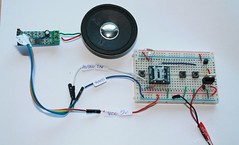
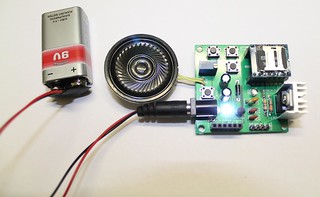
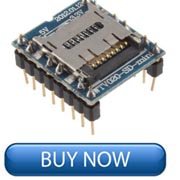
This article is about playing music files using WTV020SD-16P and Arduino. This experiment is suitable for amateurs and beginners. WTV020-SD module is a voice rewritable content type of mass storage voice module, pluggable maximum capacity of 1 GB SD card memory. It can load WAV format files and AD4 formats files.
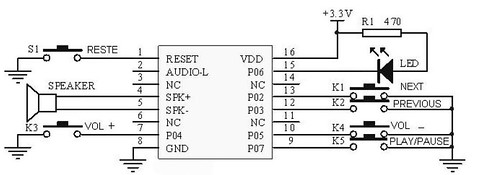
WTV020-SD module voice chip has WTV020SD-20S master core, with MP3 control mode, the key one-to-one control mode (3 voice with the voice two), the power-loop control mode as well as the second-line serial control mode.
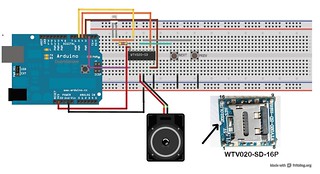
The following circuit layout shows a basic experiment of WTV020SD module using Arduino. In this experiment, I have connected NEXT and PREV switches only. Actually, these switches are optional because the songs stored on the microSD card can be controlled by Arduino sketch also. Besides, you might also be surprised to know that Arduino is also optional if you just want to play the songs. Check this tutorial that shows how to use this music module without Arduino. Also check this article that shows how to use an audio amplifier with the music module.
Simply go to the 'Documents' tab and download the sketch and upload to your Arduino. The link for the library is also available there. You can change the sketch to make the songs play the way you want.
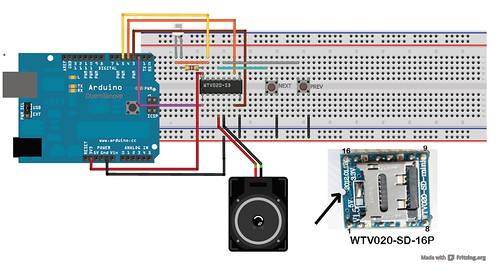
If you want to understand more about WTV020SD module, check the product manual.
Steps:
a. Copy AD4 format music files on to your 2GB micro SD card. I tested the project with 2GB microSD card only. Download AD4 Format Files (sample files). You can make your own AD4 format files, check this tutorial.
DOWNLOAD AD4 FORMAT SAMPLE FILES- SET2-SAMPLES FILES 2 (NEW!!! uploaded on 15.1.2014)
b. Connect 3.3V power to the music module. Remember that 5V may breakdown your MicroSD card.
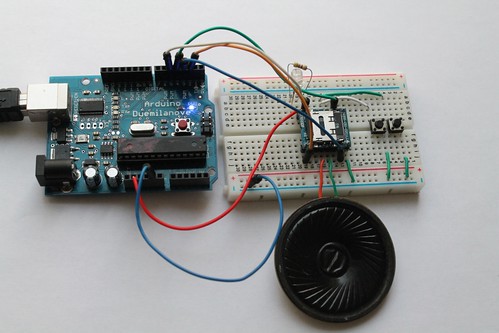
SEE MORE IMAGES OF THIS PROJECT
If this is your first experiment with WTV020SD-16P module, I strongly recommend you to read this article. The recommended article explains about the size of micro SD card and audio formats.
The project works with a 2GB microSD card and AD4 format music files. Click here to know how to convert a wave or mp3 format files to AD4 format.
Related tutorials:
c. Mp3 mode and audio amplifier.
d. Basic circuit with Arduino- example 1.
e. Basic circuit (trig and select) example 2.
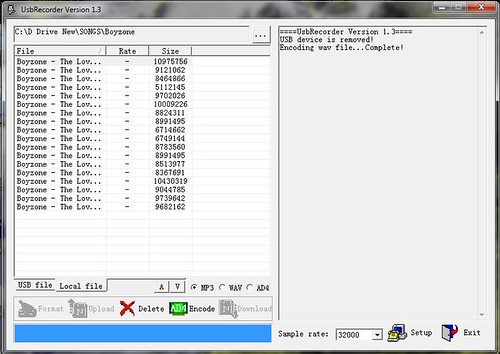
f. How to convert mp3/wave format files to AD4 format.
WATCH THE OUTPUT
Related documents:
- Photos on FLICKR
- Datasheet of WTV020SD-16P
- AD4 Format Files- Download Samples (6 music files)
- About WTV020SD-16P evaluation kit
DOWNLOAD AD4 FORMAT SAMPLE FILES- SET2-SAMPLES FILES 2 (NEW!!! uploaded on 15.1.2014)
- Download SOMO tool for converting mp3 and wave files to AD4 format.
- Download Library (FROM ARDUINO.CC)
- LINK2 (DOWNLOAD Library)
I have copied the following sketch from this link. You can go straight to arduino webpage and copy the sketch.
You can buy all the components for this experiment on www.buildcircuit.com. The web store is owned and operated by buildcircuit.com. Buildcircuit.com/shop is a reliable webstore for amateurs. It sells low cost components and offers fast shipping service.
- WTV020SD-16P
- 3.3v regulator
- 5V regulator
- 2GB micro SD card
- Audio amplifier
- Speaker
- Tactile switch
- Wires
DO NOT USE 5V POWER SUPPLY FOR THE MODULE. 5V will burn both your MicroSD card and WTV020SD module. Please use only 3.3V power, either from Arduino or use 3.3V regulator chip.
[product id="20165"]