We have been using different online Gerber viewers for checking our Gerber files before sending the PCB designs for manufacturing.
We have now started using EasyEDA's Gerber viewer because it helps us to visualize the PCB that would appear after it is manufactured. The application is pretty straightforward and we can check different files to see the changes on the layers of the PCB.
Check out this article to know more about EasyEDA's Gerber viewer.
Let's see which Gerber viewer output is close to real PCB :) ...
This is the real tangible PCB that we have been selling. This is a test board for ESP8266.
[caption id="attachment_11616" align="alignnone" width="261"]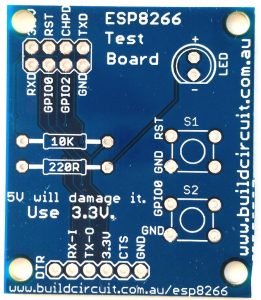 The real PCB[/caption]
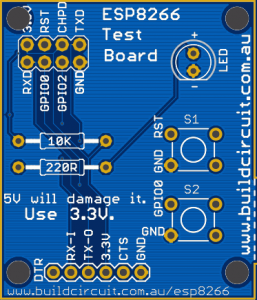
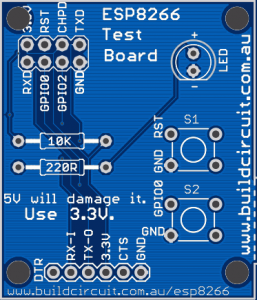
The following PCB layout image has been extracted from EasyEDA's Gerber Viewer. You can see that the following image highly resembles the real PCB.
[caption id="attachment_11614" align="alignnone" width="257"] Top layer of PCB on EasyEDA's Gerber Viewer- SILVER surface finish[/caption]
[caption id="attachment_11617" align="alignnone" width="257"]
Top layer of PCB on EasyEDA's Gerber Viewer- SILVER surface finish[/caption]
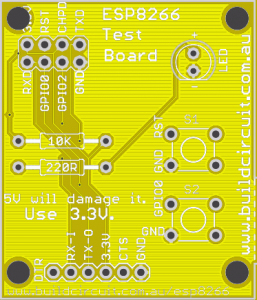
[caption id="attachment_11617" align="alignnone" width="257"] Top layer of PCB on EasyEDA's Gerber Viewer- GOLD surface finish[/caption]
The following image shows the Silk Top (*.GTO) of the same PCB shown above. We extracted this from one of the Gerber viewers online. This image gives an idea of placement of various components but we cannot visualize how the board will actually appear when it is manufactured.

Before we order the PCB from our manufacturer, we always check which color would make the kit more beautiful or more matchable with other components.
Let's see the same PCB in different colors. This is an interesting feature offered by EasyEDA. We recommend EasyEDA's FREE and extremely user friendly Gerber viewer application.




Watch the following video to see how EasyEDA's Gerber Viewer works: