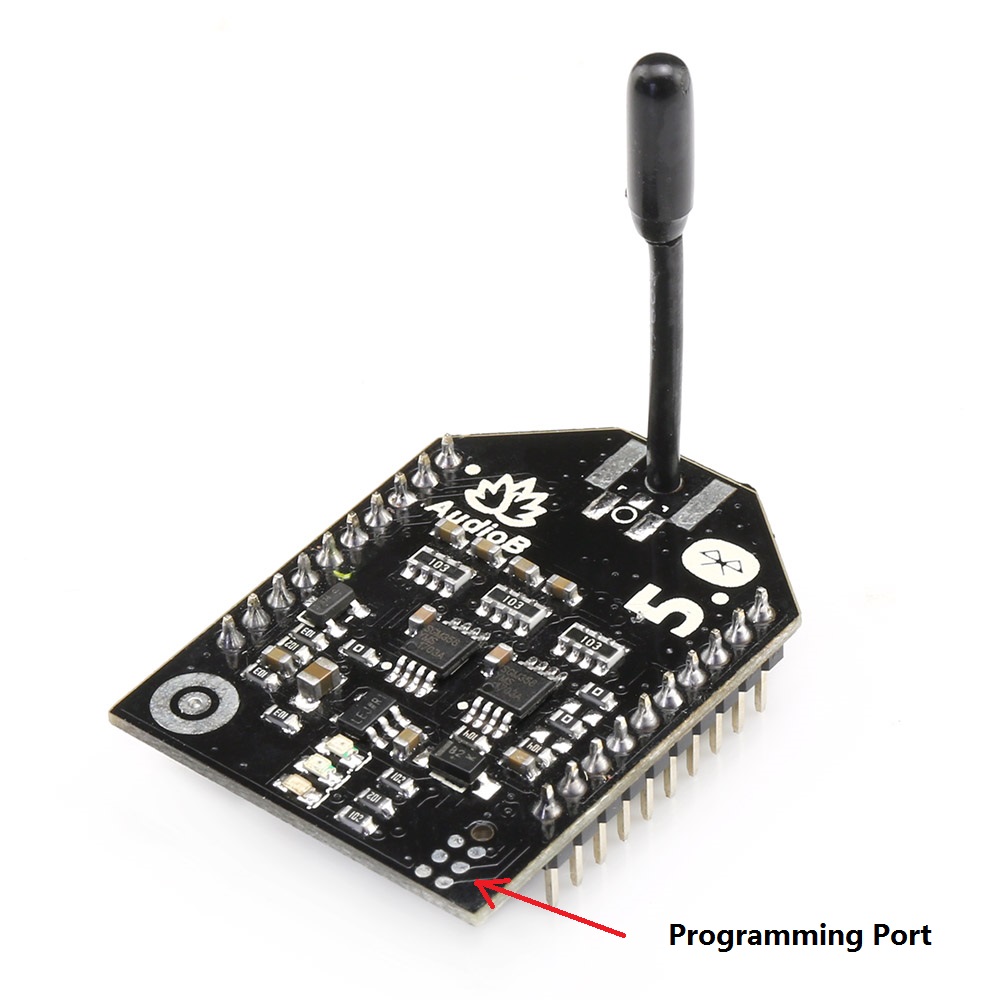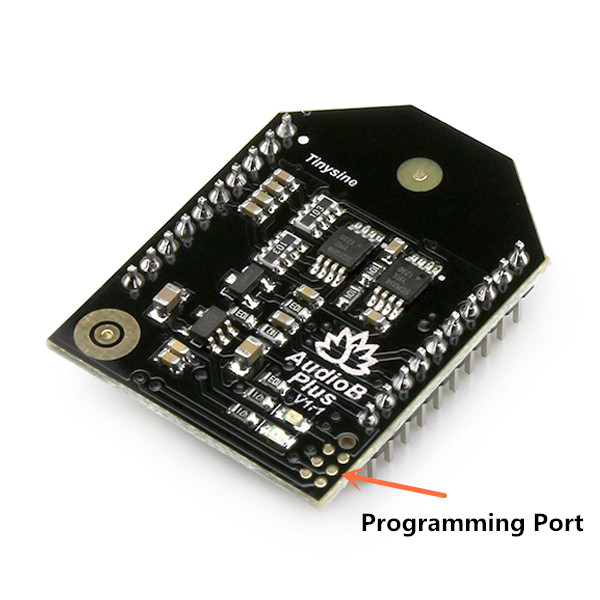
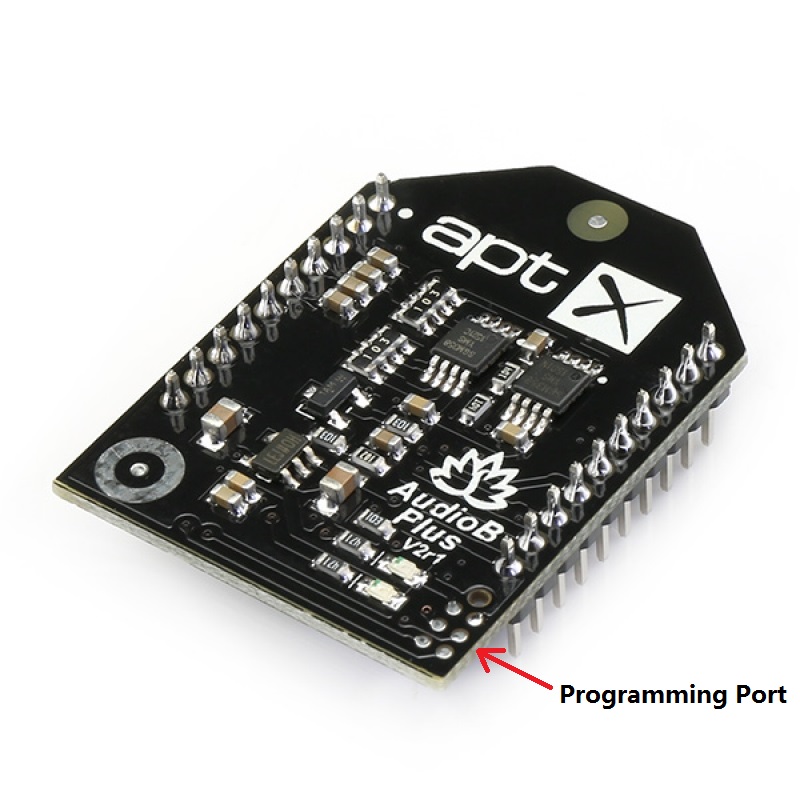
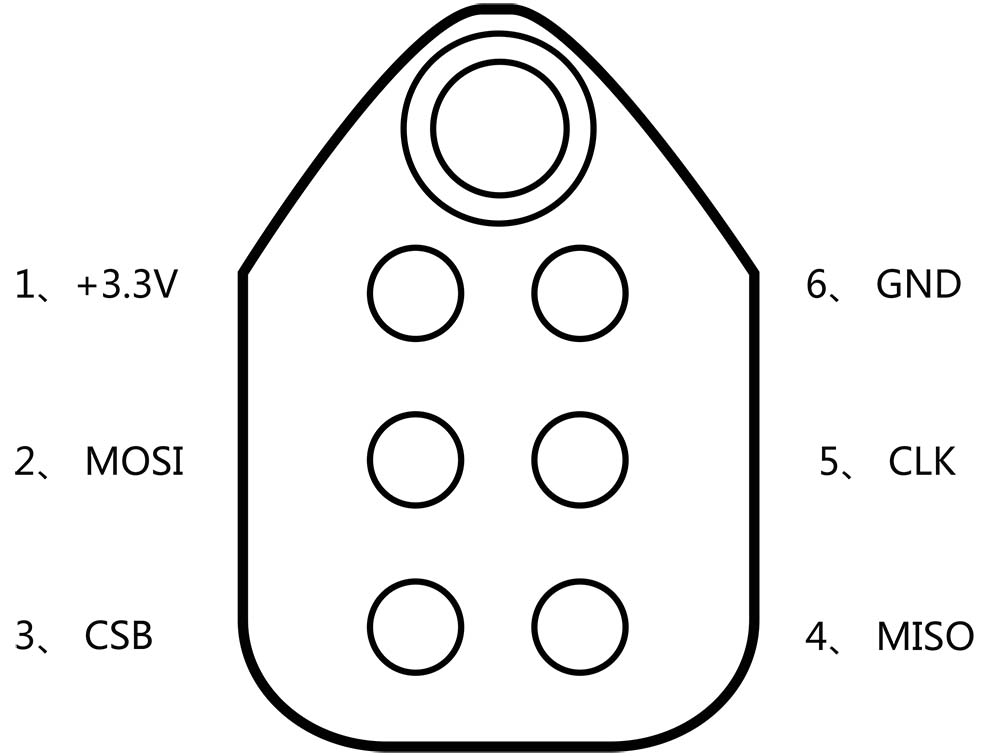
 Hardware and Software required:
- Tag-Connect line Kit
- CSR USB-SPI programmer
- Download Bluesuite2.5.0 and install it
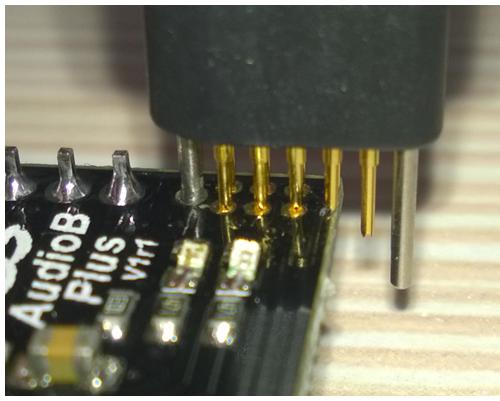
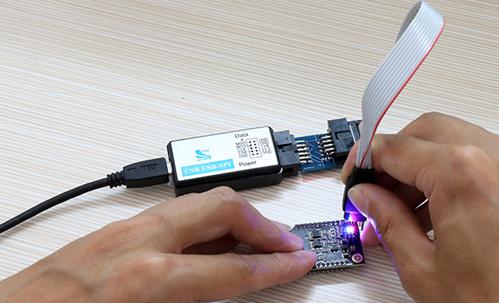 Step3: Make sure the connection is fine, then open PSTool in BlueSuite 2.5.0.
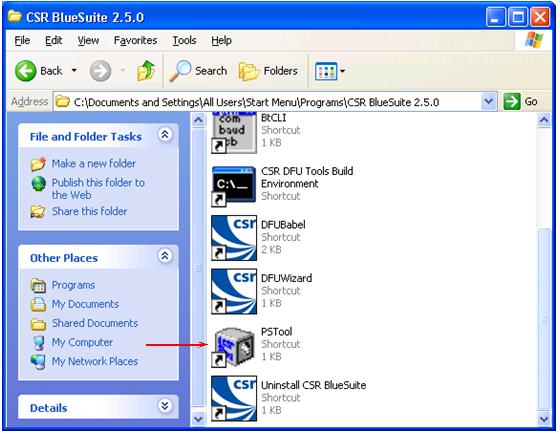 Step4:
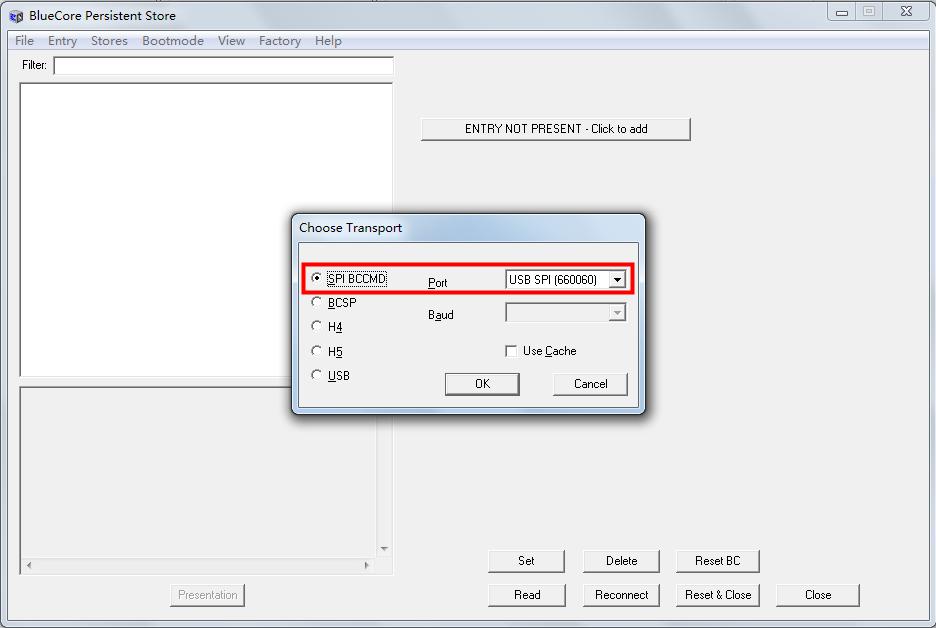
Choose "SPI BCCMD", and if the connection is fine, the CSR USB-SPI device will show in “Port”, then click "OK".
Step4:
Choose "SPI BCCMD", and if the connection is fine, the CSR USB-SPI device will show in “Port”, then click "OK".
 Step5: change the password
Input “fixed” in "Filter", then choose the option named “Fixed PIN”, the text box on the right will show the current password of Bluetooth module(default is “0030 0030 0030 0030”,That means the password is 0000), if you want to change it, just input the new password in this text box. For example, here we input "0035 0036 0037 0038" (password:5678))then click “Set” to complete the change.
Step5: change the password
Input “fixed” in "Filter", then choose the option named “Fixed PIN”, the text box on the right will show the current password of Bluetooth module(default is “0030 0030 0030 0030”,That means the password is 0000), if you want to change it, just input the new password in this text box. For example, here we input "0035 0036 0037 0038" (password:5678))then click “Set” to complete the change.
/Enable%20Bluetooth%20Audio%20Amplifier%20Pair%20Number%20(Password)-1.jpg)
/Enable%20Bluetooth%20Audio%20Amplifier%20Pair%20Number%20(Password)-2.jpg) Step 6: enable password
non-aptx AudioB plus module:
Input “local” in "Filter", then choose the option named“Local supported features block”, the text box on the right will show the current parameter configuration of Bluetooth module(default is “ffff fe8f ffdb 875b” ,That means password disabled), if you want to enable password, Please change the last number to 7 ,That is “ffff fe8f ffdb 8757” then click “Set” and finally click “Reset&Close” to complete password settings and enable.
Step 6: enable password
non-aptx AudioB plus module:
Input “local” in "Filter", then choose the option named“Local supported features block”, the text box on the right will show the current parameter configuration of Bluetooth module(default is “ffff fe8f ffdb 875b” ,That means password disabled), if you want to enable password, Please change the last number to 7 ,That is “ffff fe8f ffdb 8757” then click “Set” and finally click “Reset&Close” to complete password settings and enable.
/Enable%20Bluetooth%20Audio%20Amplifier%20Pair%20Number%20(Password)-3.jpg)
/Enable%20Bluetooth%20Audio%20Amplifier%20Pair%20Number%20(Password)-4.jpg) Aptx AudioB plus module:
Input “local” in "Filter", then choose the option named“Local supported features block”, the text box on the right will show the current parameter configuration of Bluetooth module(default is “ffff fe8f ffdb 875b” ,That means password disabled), if you want to enable password, Please change them to “ffff fe8f ff9b 8753” then click “Set” and finally click “Reset&Close” to complete password settings and enable.
Aptx AudioB plus module:
Input “local” in "Filter", then choose the option named“Local supported features block”, the text box on the right will show the current parameter configuration of Bluetooth module(default is “ffff fe8f ffdb 875b” ,That means password disabled), if you want to enable password, Please change them to “ffff fe8f ff9b 8753” then click “Set” and finally click “Reset&Close” to complete password settings and enable.
/enablepincodeaptx.jpg)
Turn on your phone’s Bluetooth and scan for new bluetooth devices.Your phone will search for the AudioB Plus module automatically. Usually, our AudioB Plus modules are named as “BT speaker”.
/Enable%20Bluetooth%20Audio%20Amplifier%20Pair%20Number%20(Password)-5.jpg)
Click “BT speaker” to connect, and you need to input the new password :5678.Then click “OK” to connection to AudioB Plus.
/Enable%20Bluetooth%20Audio%20Amplifier%20Pair%20Number%20(Password)-6.jpg) Note:
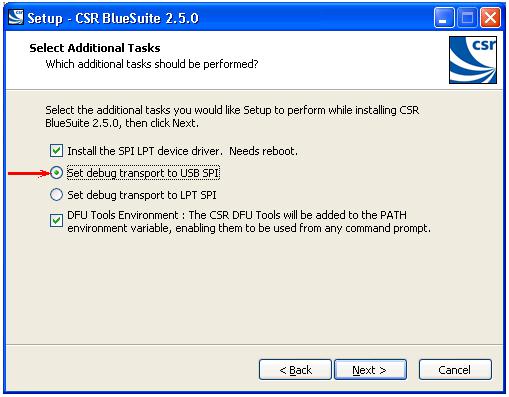
1. If you haven’t installed CSR BlueSuite 2.5.0 on your computer, please download it here and install it. During the process of installation, you need to check the option "set debug transport the USB SPI".
Note:
1. If you haven’t installed CSR BlueSuite 2.5.0 on your computer, please download it here and install it. During the process of installation, you need to check the option "set debug transport the USB SPI".
 2. You may need to install the driver for CSR USB-SPI programmer on your computer.
For 32 bit system:
C:\Program Files\CSR\BlueSuite 2.5.0\drivers\win32
For 64 bit system:
C:\Program Files\CSR\BlueSuite 2.5.0\drivers\win64
2. You may need to install the driver for CSR USB-SPI programmer on your computer.
For 32 bit system:
C:\Program Files\CSR\BlueSuite 2.5.0\drivers\win32
For 64 bit system:
C:\Program Files\CSR\BlueSuite 2.5.0\drivers\win64