🛠️ Dive into our collection of DIY Kits, 🔊 Audio Amplifiers, Digital Scoreboards, FM transmitters, and more!
🎶 Explore endless possibilities at our new store.
MAKER TUTORIAL
USBtinyISP V2 AVR ISP Programmer
BUILDCIRCUIT · 2014-01-23
⚡
Officially supported by Arduino IDE, it can burn Arduino bootloader onto chips, and practically program any Atmel AVR microcontroller by this powerful AVR ISP programmer.
Summary
When you see “USBtinyISP AVR Programmer” in device Manager, the USBtinyISP is ready to use.
There's a jumper sticking out near the USB cable, PWR . When the jumper is in place (connecting the two wires), that means that the USBtinyISP is providing 5V power to the device being programmed. If you don't want to power the device then just take the jumper out. We will need the jumper in place when burning bootloader for Arduino
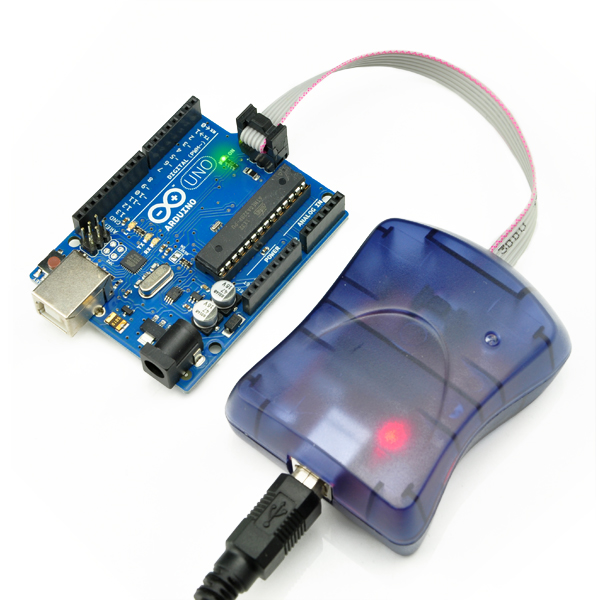
Connect USBtinyISP and ICSP of Arduino with the 6-pin cable included. Then connect USBtinyISP to the computer by USB cable (A to B type), this cable is not included
After the hardwares are connected, we can start the Arduino IDE. Under the list of “Tools”->“Board” , choose your Arduino version. Then click “Tools” -> “Burn Bootloader” -> “w/ USBtinyISP” to start burning Arduino bootloader
During burning, you will see the “BUSY” Led flashing
It will take a while to burn (but still faster than USBasp ). You will see “Done burning bootloader” at Arduino IDE when it is done.
Package Content:
1 x USBtinyISP AVR ISP Programmer
🛠️ Dive into our collection of DIY Kits, 🔊 Audio Amplifiers, Digital Scoreboards, FM transmitters, and more!
🎶 Explore endless possibilities at our new store.


 Summary