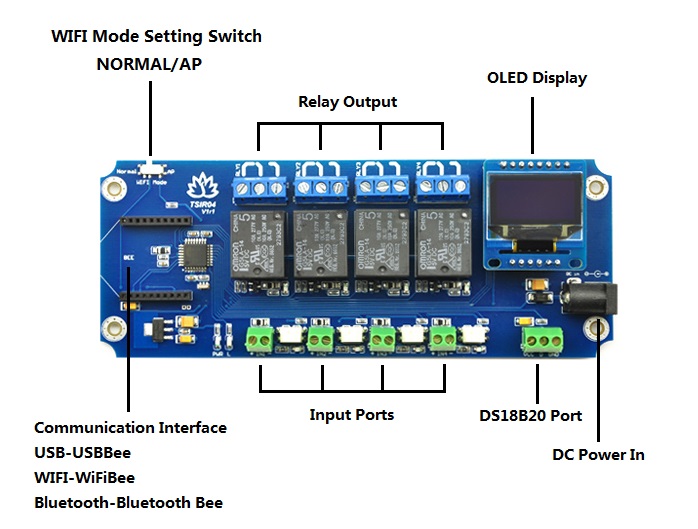
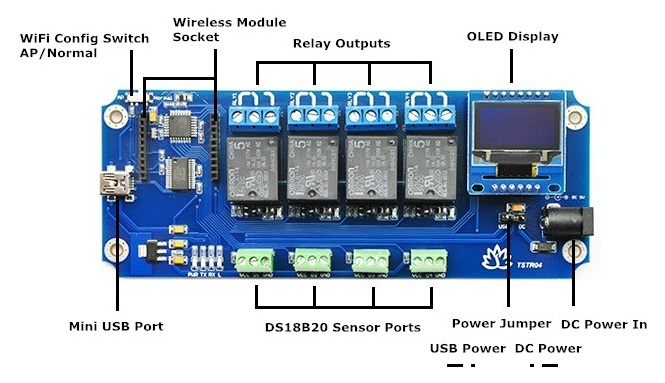
In addition, this module supports delay function that you can set each relay output delay between 0 second~24 hours.
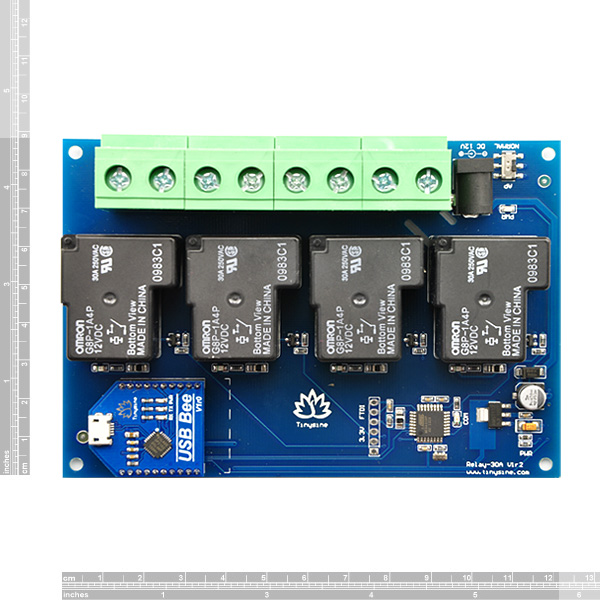 Relay power rating
If the relay is used at a voltage or current exceeding this specification, the life of the contacts may be significantly shortened.
A full datasheet for the relays used on the TSRB430 is here: G8P datasheet
First Step - Install the Driver
USB Bee module uses a CP2102 USB to UART chip. Before using it, you need to download the CP210x Driver.
Connect the module to the computer's USB port and windows will detect it and ask for the drivers. Point windows to the inf folder and it will install the driver.
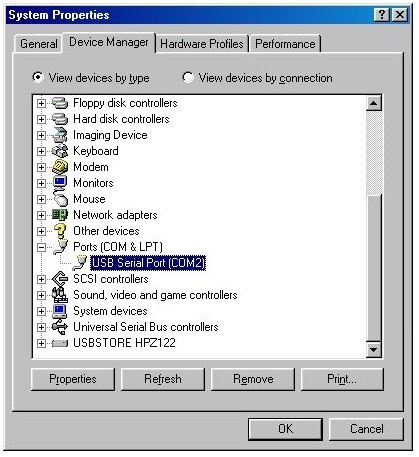
A new com port will now appear
Relay power rating
If the relay is used at a voltage or current exceeding this specification, the life of the contacts may be significantly shortened.
A full datasheet for the relays used on the TSRB430 is here: G8P datasheet
First Step - Install the Driver
USB Bee module uses a CP2102 USB to UART chip. Before using it, you need to download the CP210x Driver.
Connect the module to the computer's USB port and windows will detect it and ask for the drivers. Point windows to the inf folder and it will install the driver.
A new com port will now appear
 Commands
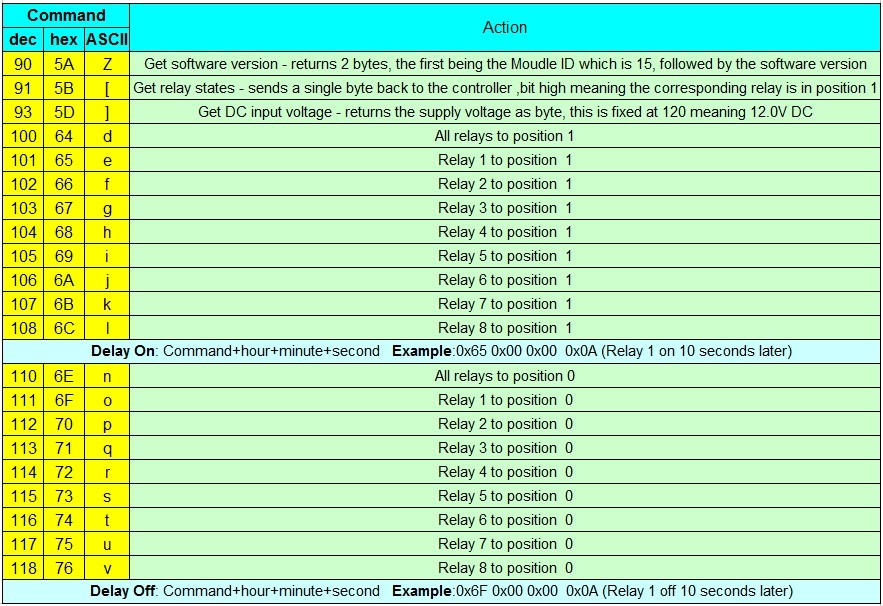
The TSRU430 operates with an easy to use command set as described in the table below.
TOSR0x Baud rate: 9600
Commands
The TSRU430 operates with an easy to use command set as described in the table below.
TOSR0x Baud rate: 9600
 Test program
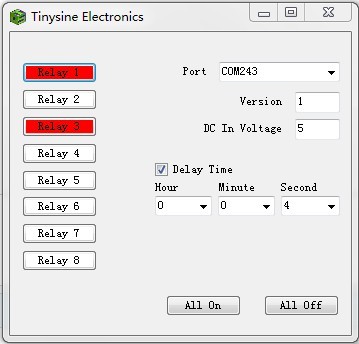
To get the TSRU430 up and running in the minimum amount of time we have put together an example program to demonstrate the functionality of the module.
Test program
To get the TSRU430 up and running in the minimum amount of time we have put together an example program to demonstrate the functionality of the module.
 Documents:
- User Manual
- Test Program
- CP210x Driver
- G8P datasheet
- Realterm serial debug tool
- iPhone APP (WIFI) Timing function is not supported
- Android APP(WIFI)
- Android APP(Bluetooth)