An Arduino based programmable outlet with screen and thermocouple inputs for implementing a wide range of awesome projects !
KICKSTARTER PAGE: http://kck.st/1xuz7Ev
A portlet is an Arduino based programmable outlet with screen and thermocouple inputs for implementing a wide range of awesome projects !
The Portlet project began when the designer attempted to make his own yoghurt. But he quickly realized it could be an extremely versatile tool with a tons of different uses, so he transformed it into a legitimate product.
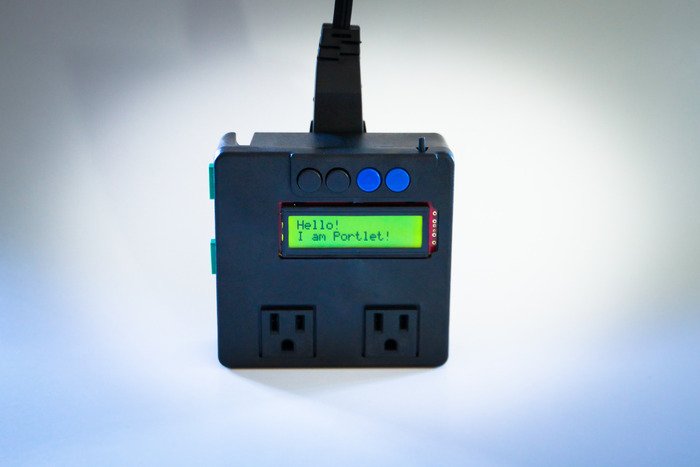
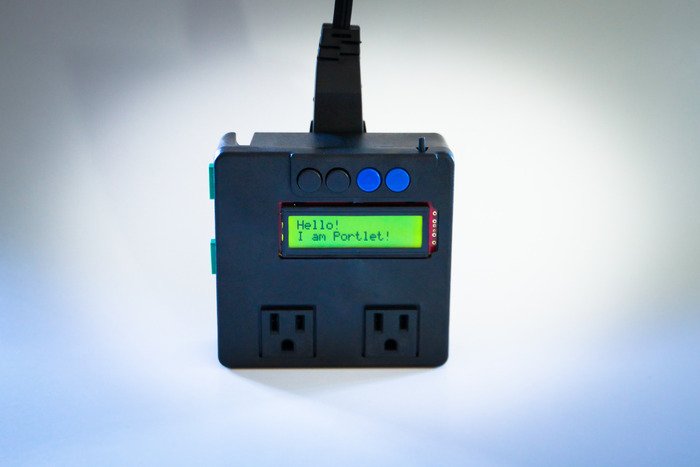
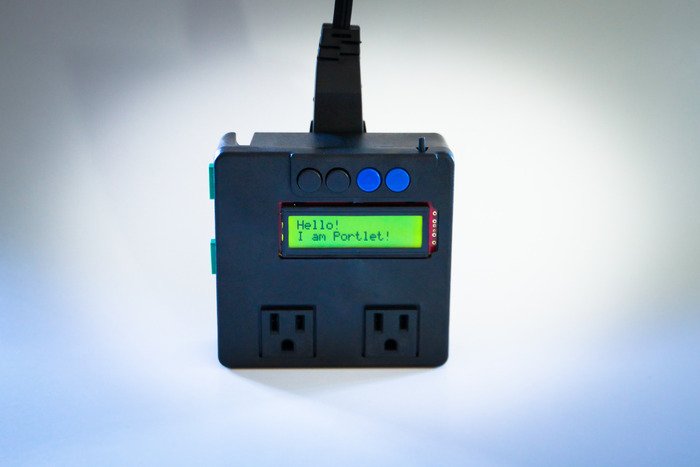
Portlet plugs into a standard Nema 15 style wall outlet and is controlled by an Arduino brain. It features:
- Two outlets on the front for plugging in devices. These are controlled by relays to turn them On or Off.
- Two thermocouple inputs for monitoring temperatures.
- 4 buttons which can be programmed for ... whatever you like.
- 1 LCD screen to display happy messages and thought provoking comments about your project.
- Access to the programming pins of the Arduino (currently the Arduino Pro from the good folks at Sparkfun)
Examples:
There are a ton of uses for a device that can monitor temperature and/or control some outlets. For example, using the Portlet and a crockpot you immediately have both a yoghurt incubator, a pasteurization tool (for yoghurt, cheese, home brewing, etc.), or a sous-vide cooker!
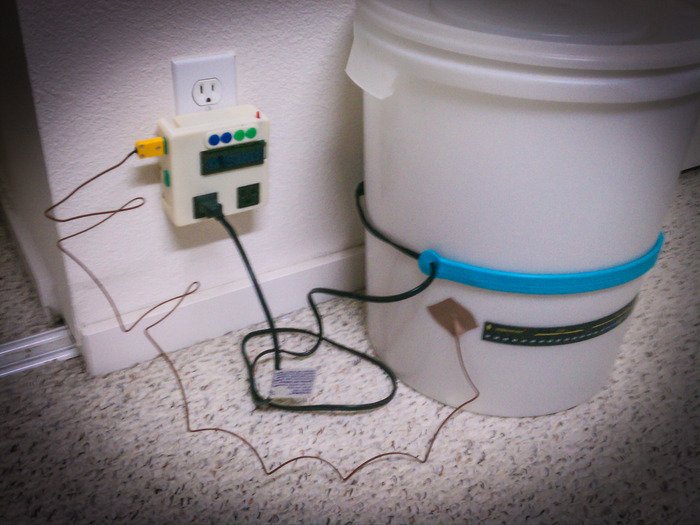
[caption id="attachment_9845" align="alignnone" width="396"]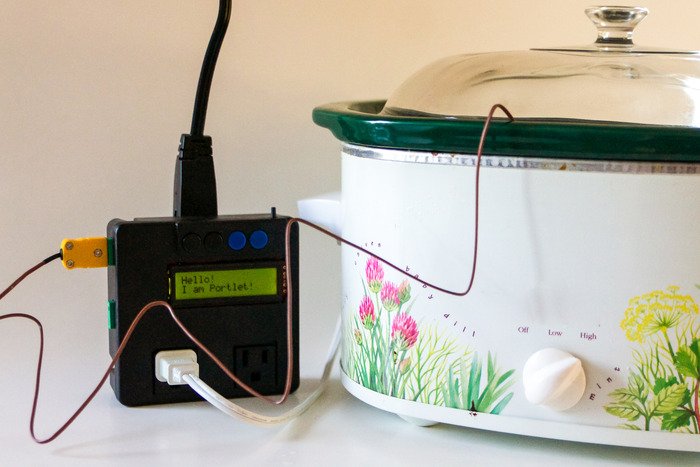 Using Portlet with a Crockpot[/caption]
Other uses:
- Timer for your soldering/curling/clothing/whatever-hot-device. Then there is no more worried about "did I leave that on" because it will turn off automatically after a set period of time.
- Monitor the temperature of your pipes and make turn on a heater so they don't freeze.
- Make a connected outlet; after all it's pretty easy to plug in a Bluetooth or zigbee module!
For more information: check out kickstarter page.
The basic steps in making yoghurt are:- Heat the milk to 185 degrees F.
- Pasteurize the milk (185 degrees F for 30 minutes)
- Cool the milk down to 110 degrees F.
- Pitch the yoghurt culture and let it culture around 100 degrees for 7 hours
- Put your yoghurt in the fridge!
 Open up the Arduino IDE and copy and paste the Yoghurt Sketch Program attached into the IDE.
 Make sure you have the correct serial port selected for your interface and for the board choose the “Arduino Pro or Pro Mini (5V, 16MHz) w/ATmega328”.

 Arduino program is on the "Programming" tab. Check out the program at Github.
The Set up:
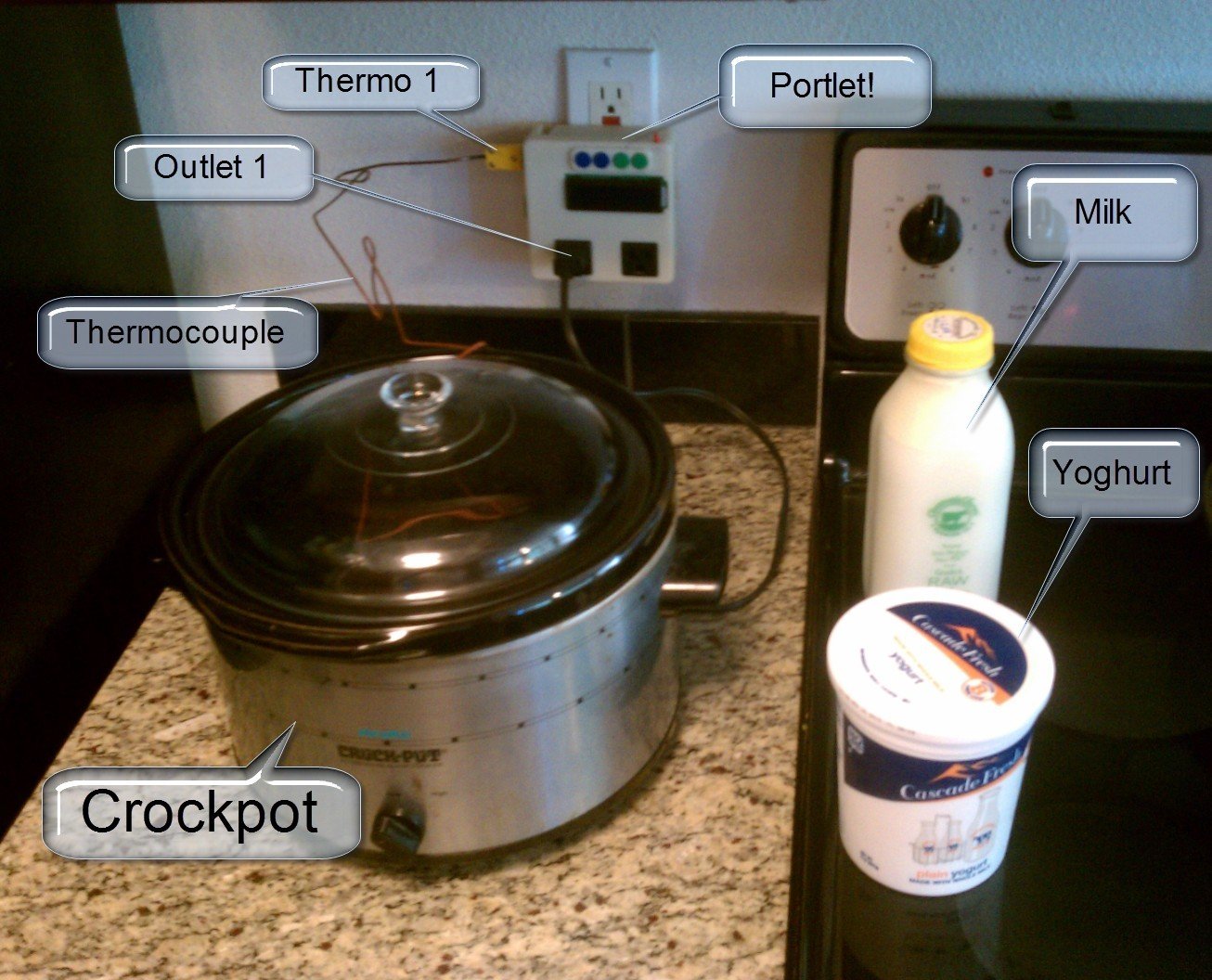
Here you see the crockpot plugged into the Portlet, which in turn is plugged into the wall outlet. The milk (raw Claravale milk is shown) and the yoghurt are on hand. The milk will get poured into the crockpot right away but since you won't be needing the yoghurt for some time, you should keep that in the fridge until ready.
The program supplied below expects that you are using Outlet 1 and Thermo 1. Make sure you have the crockpot and the thermocouple plugged into the right sockets!
Arduino program is on the "Programming" tab. Check out the program at Github.
The Set up:
Here you see the crockpot plugged into the Portlet, which in turn is plugged into the wall outlet. The milk (raw Claravale milk is shown) and the yoghurt are on hand. The milk will get poured into the crockpot right away but since you won't be needing the yoghurt for some time, you should keep that in the fridge until ready.
The program supplied below expects that you are using Outlet 1 and Thermo 1. Make sure you have the crockpot and the thermocouple plugged into the right sockets!
 Defining the temperature curve:
If we are to graph this process, the basic temperature profile looks like:
Defining the temperature curve:
If we are to graph this process, the basic temperature profile looks like:
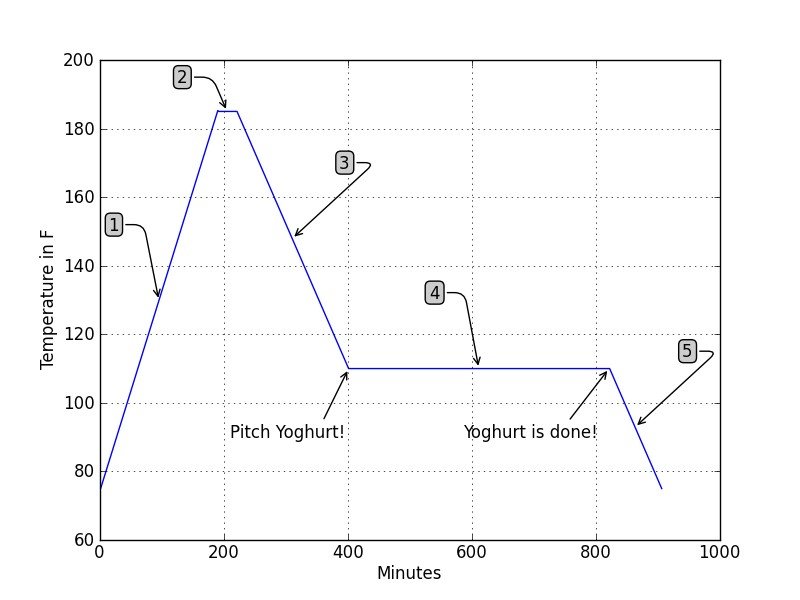 And a more detailed explanation of the steps would be:
- Here we are trying to get to 185 as quickly as possible. Depending on your crockpot, this curve may look different; steeper or more shallow. That's okay. We aren't really concerned with how quickly we get there, we just want to spend some time at 185 to make sure the batch is pasteurized and maybe we've broken down the proteins a little bit.
- Now we spend some time at 185. The code for maintaining the temperature is very simple but adequate for this purpose. Ten minutes at 185 is recommended to make sure pasteurization is complete, but some yoghurt manufacturers will actually hold it there much longer to get a creamier yoghurt. It's a good place to experiment !
- Now that pasteurization is complete, we want the temperature to go down to about 110 so we can start the culturing process. Some people will take their pot of milk and put it in ice because they don't want to wait around forever. But since the Portlet is automating this whole process, we can just let it turn the crockpot off and wait until the desired temperature has been reached. With the program attached it will notify us that it has arrived there by flashing the backlight on the LCD screen. This indicates it is time to dump a few spoonfuls of yoghurt into the pot and start the culturing process.
- Culturing bacteria is very simple. You've given it a clean environment without any competition by pasteurizing the batch and it has plenty of nutrients in the mil, so now all it wants is a warm place to do its' thing. So we set the Portlet to maintain a temperature of about 110°F and let it sit for about 7 hours. The Portlet has a timer that counts down the time and notifies you when that time has elapsed. Once that time is over, you have yoghurt!
- We don't want to let the yoghurt sit and culture forever so at this point we've turned off the heat and are letting the batch cool down to room temperature. This will not stop the culturing process, but the colder temperature will at least slow it down. By now you should have put the yoghurt into the fridge. The Portlet does not have the ability to do that for you (not yet anyways...)