
This project is similar to the following projects:
1. ON and OFF LED using infrared sensor
2. PWM experiment using infrared sensor
For this particular and the above listed experiments, you need this library: arcfn.com/files/IRremote.zip
See the following image to know how to fix the infrared sensor on the breakout board.
http://arcfn.com/files/IRremote.zip#sthash.wIx2Q2Mr.dpuf
http://arcfn.com/files/IRremote.zip#sthash.wIx2Q2Mr.dpuf
http://arcfn.com/files/IRremote.zip#sthash.wIx2Q2Mr.dpuf
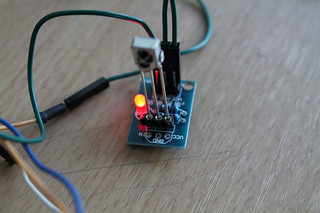 Datasheet of HX1838
CHECK OTHER IMAGES
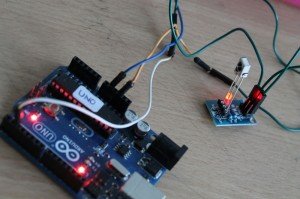
Use the three dupont wires to connect the breakout board to your Arduino.
VCC pin on the board- goes to VCC of Arduino
GND pin on the board- goes to GND pin of Arduino
IN pin on the board - goes to digital pin 2 of Arduino
And a connect an LED to digital pin no. 13. As you press a remote control directing to the Infrared sensor, the LED will be switched on and off.
Upload the following sketch on to your Arduino:
LINK
VIDEO:
Datasheet of HX1838
CHECK OTHER IMAGES
Use the three dupont wires to connect the breakout board to your Arduino.
VCC pin on the board- goes to VCC of Arduino
GND pin on the board- goes to GND pin of Arduino
IN pin on the board - goes to digital pin 2 of Arduino
And a connect an LED to digital pin no. 13. As you press a remote control directing to the Infrared sensor, the LED will be switched on and off.
Upload the following sketch on to your Arduino:
LINK
VIDEO: