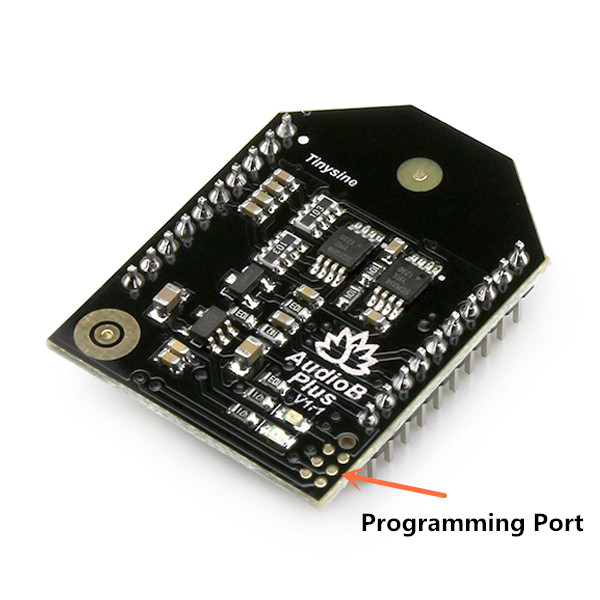
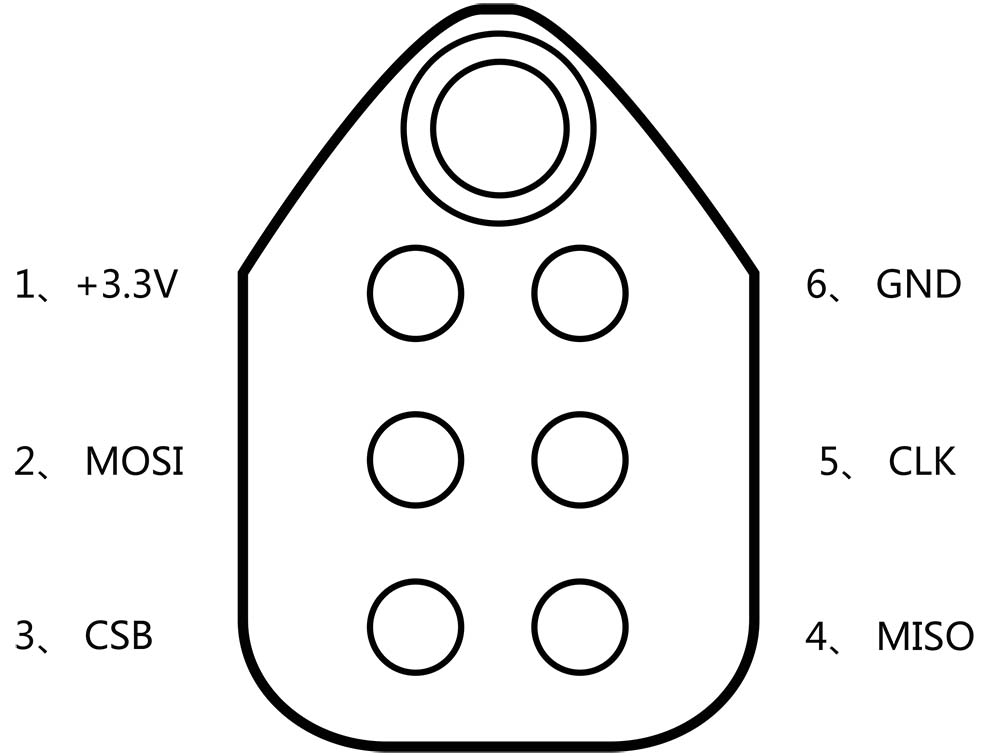
 Hardware and Software required:
- Tag-Connect line Kit
- CSR USB-SPI programmer
- Download Bluesuite2.5.0 and install it
- Download CSRXX_ROM_ConfigTool and install it
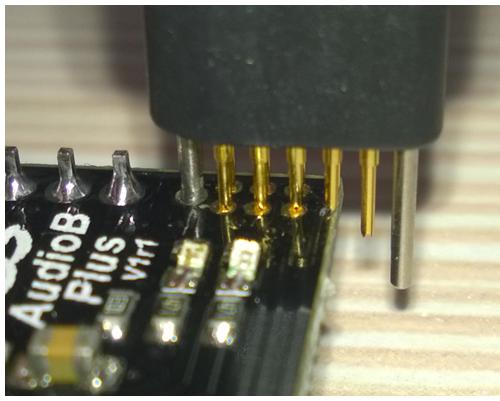
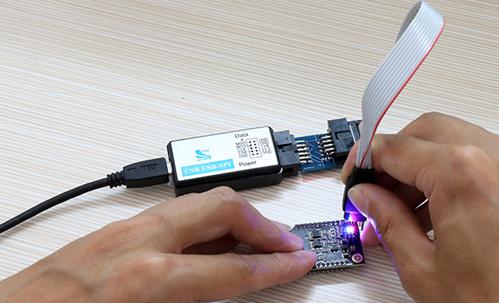 Change The BT module audio gains:
Step3:
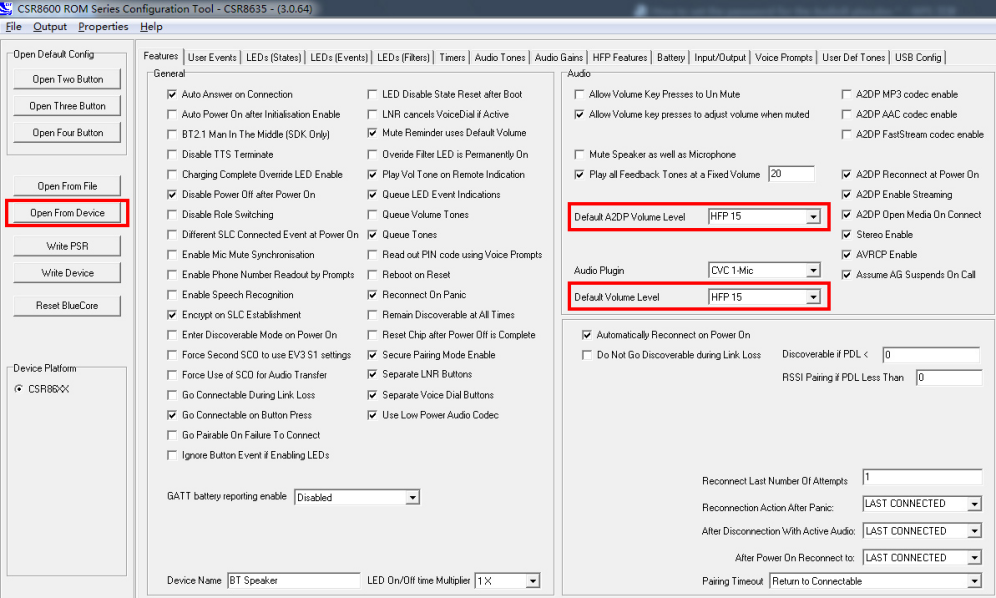
Make sure the connection is fine, then open Config Tool.Click "Open From Device ",then Make sure that the values of the “Default A2DP Volume Level” and the “Default Volume Level “ options are all values of HFP15. If not, please modify to HFP15.
Change The BT module audio gains:
Step3:
Make sure the connection is fine, then open Config Tool.Click "Open From Device ",then Make sure that the values of the “Default A2DP Volume Level” and the “Default Volume Level “ options are all values of HFP15. If not, please modify to HFP15.
 Step4:
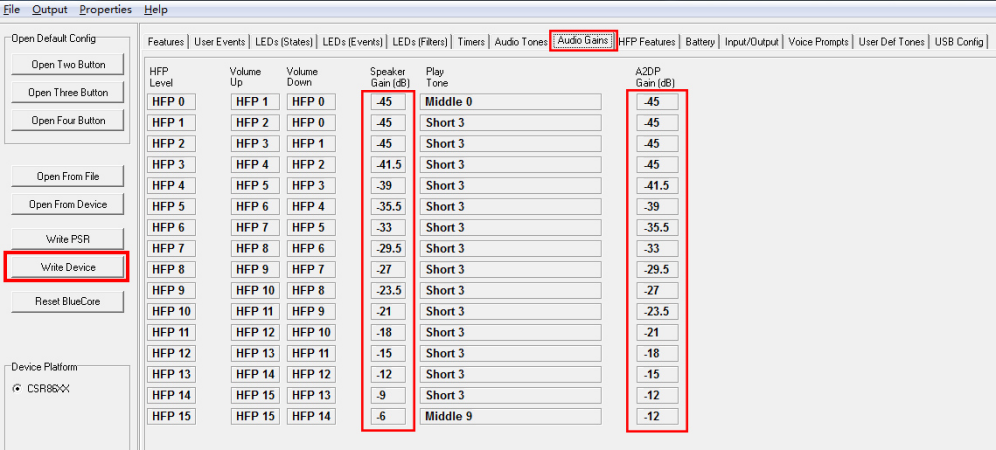
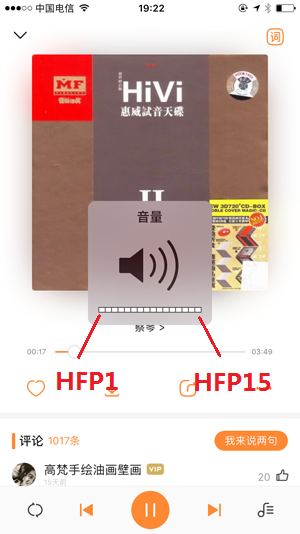
Select "Audio Gains " tab, There are “Speak Gain(dB)” and “A2DP Gain(dB)” settings in this page. Here we only need change the “A2DP Gain(dB)” values. If you use an iPhone, You can find there are 15 volume levels on iOS system(Android are different). HFP1 is the start level audio volume, HFP15 is maximum audio volume, If you want limit the maximum audio volume. Just adjusting the corresponding HFP gain values.
Step4:
Select "Audio Gains " tab, There are “Speak Gain(dB)” and “A2DP Gain(dB)” settings in this page. Here we only need change the “A2DP Gain(dB)” values. If you use an iPhone, You can find there are 15 volume levels on iOS system(Android are different). HFP1 is the start level audio volume, HFP15 is maximum audio volume, If you want limit the maximum audio volume. Just adjusting the corresponding HFP gain values.
 Step5:
After the modification is completed, click on the right side of the “Write Device”. The module settings changed after reboot.
Change hands free settings. Step3: Make sure the connection is fine, then open Config Tool.Click "Open From Device ", HFP features tab->uncheck the HFP,HSP and WBS option.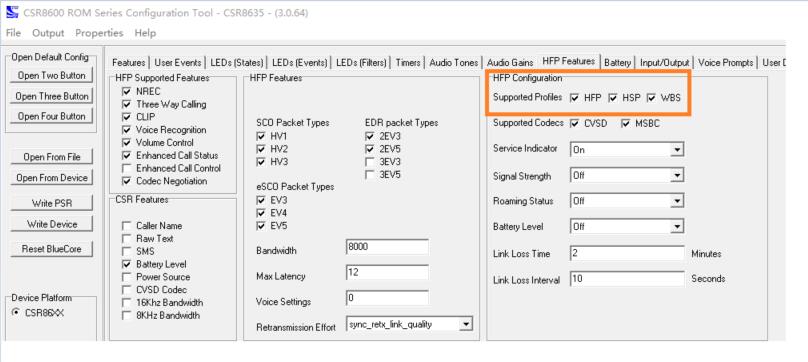 Step4:
After the modification is completed, click on the right side of the “Write Device”. The module settings changed after reboot.