🛠️ Dive into our collection of DIY Kits, 🔊 Audio Amplifiers, Digital Scoreboards, FM transmitters, and more!
🎶 Explore endless possibilities at our new store.
MAKER TUTORIAL
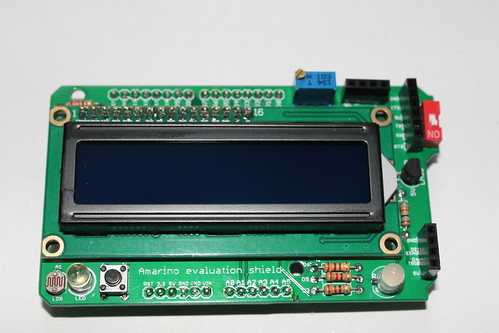
Display SMS on LCD using Amarino evaluation shield
BUILDCIRCUIT · 2012-10-30
⚡
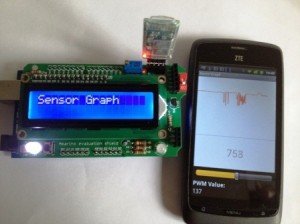
Tutorial for Amarino Beginners- Display your SMS on 16x2 LCD.
This tutorial shows you how to display SMS on 16x2 LCD. This tutorial is based on Amarino. It utilizes Receive SMS plugin of Amarino. This plugin sends the first 30 characters of a received SMS to Arduino. The message is sent as a string. The length of the string can be between 0 and 30.
You need the following devices/components for this experiment:
a. Arduino
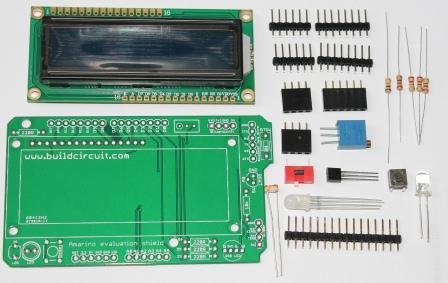
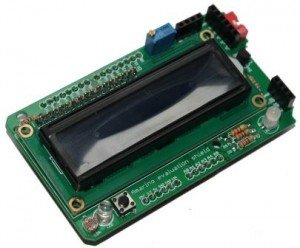
b. Amarino Evaluation Shield or 16x2 LCD and other required components (see the schematic).
c. Android phone.
d. Bluetooth adapter- You can use either general Bluetooth adapter or BlueSMiRF from sparkfun.
e. One cell phone (any) to send text messages.
If you are doing Amarino experiment for the first time, follow these steps carefully:
1. Download and install Amarino toolkit.
2. Download and install Amarino Plugin Bundle.
3. Download MeetArduino library and put it into the Libraries folder of Arduino.
Download Arduino source code for this experiment.Download source code(ZIP)OPTIONAL LINK
4. Pair up your phone with Bluetooth adapter. If you have never done any experiment with Android and Bluetooth, check this tutorial.
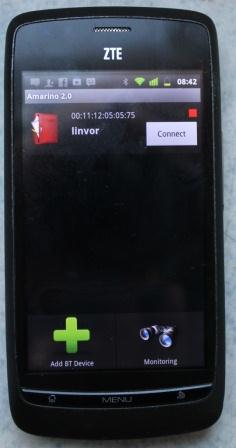
5. Open up the Amarino application. You will get the following screen:
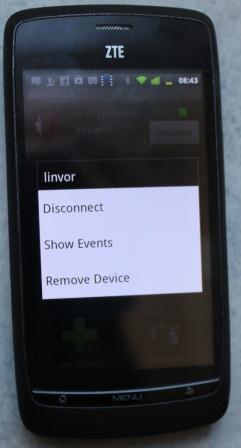
6. Click on the red icon for a while, it will prompt the following options.
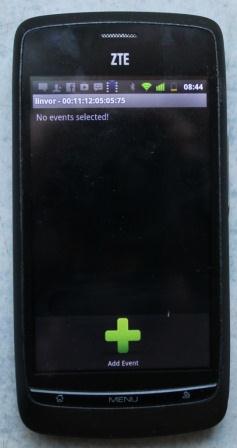
7. Click on Show Events. You will then get the following screen.
8. Then, click on Add Event, you will get the following screen.
9. Click on Receive SMS and save. You get this screen.
10. Presss Receive SMS for a while, you will get the following message.
Select Force Enable
Then follow the steps as shown on the following video:
You can buy this shield on www.buildcircuit.net
🛠️ Dive into our collection of DIY Kits, 🔊 Audio Amplifiers, Digital Scoreboards, FM transmitters, and more!
🎶 Explore endless possibilities at our new store.


 c. Android phone.
d. Bluetooth adapter- You can use either general Bluetooth adapter or BlueSMiRF from sparkfun.
e. One cell phone (any) to send text messages.
If you are doing Amarino experiment for the first time, follow these steps carefully:
1. Download and install Amarino toolkit.
2. Download and install Amarino Plugin Bundle.
3. Download MeetArduino library and put it into the Libraries folder of Arduino.
Download Arduino source code for this experiment. Download source code(ZIP)
OPTIONAL LINK
4. Pair up your phone with Bluetooth adapter. If you have never done any experiment with Android and Bluetooth, check this tutorial.
5. Open up the Amarino application. You will get the following screen:
c. Android phone.
d. Bluetooth adapter- You can use either general Bluetooth adapter or BlueSMiRF from sparkfun.
e. One cell phone (any) to send text messages.
If you are doing Amarino experiment for the first time, follow these steps carefully:
1. Download and install Amarino toolkit.
2. Download and install Amarino Plugin Bundle.
3. Download MeetArduino library and put it into the Libraries folder of Arduino.
Download Arduino source code for this experiment. Download source code(ZIP)
OPTIONAL LINK
4. Pair up your phone with Bluetooth adapter. If you have never done any experiment with Android and Bluetooth, check this tutorial.
5. Open up the Amarino application. You will get the following screen:
 6. Click on the red icon for a while, it will prompt the following options.
 7. Click on Show Events. You will then get the following screen.
 8. Then, click on Add Event, you will get the following screen.
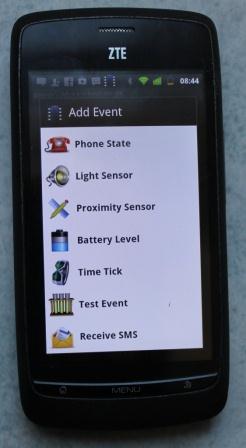 9. Click on Receive SMS and save. You get this screen.
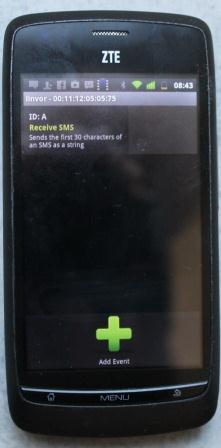 10. Presss Receive SMS for a while, you will get the following message.
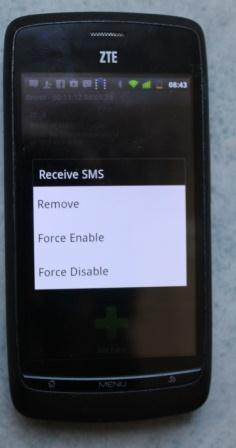 Select Force Enable
Then follow the steps as shown on the following video:
Select Force Enable
Then follow the steps as shown on the following video:
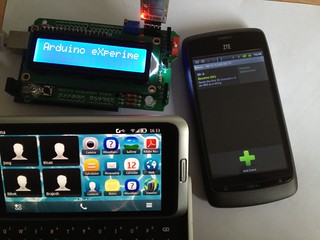 You can buy this shield on www.buildcircuit.net