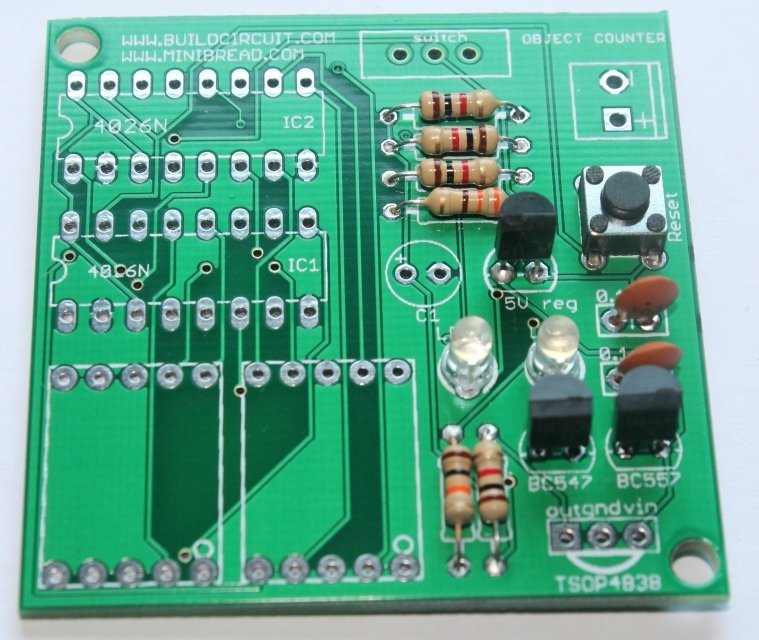
Assembly of digital object counter is very straightforward and all components are through-hole. You can see the label and images printed on the circuit board and assemble the components accordingly.
Check the PCB of the counter kit:
Assembly of digital object counter is very straightforward and all components are through-hole. You can see the label and images printed on the circuit board and assemble the components accordingly.
Check the PCB of the counter kit:
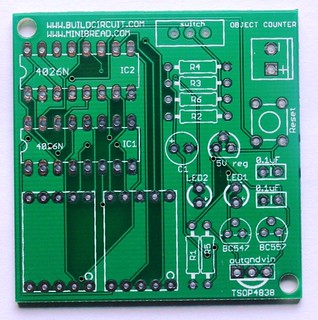 You can notice on the PCB that the component names have been labeled clearly. You can also check all the assembly images from flickr.com.
Step 1: Fix all the resistors.
Values are as follows:
a. R1: 10 kilo Ohm: Brown- Black- Orange
You can notice on the PCB that the component names have been labeled clearly. You can also check all the assembly images from flickr.com.
Step 1: Fix all the resistors.
Values are as follows:
a. R1: 10 kilo Ohm: Brown- Black- Orange
 b. R2: 330 Ohm: Orange- Orange- Brown
 c. R3, R4, R5 and R6: 1 Kilo Ohm- Brown- Black- Red


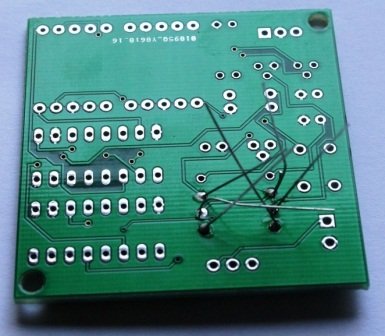 Check more photos
Step 2: Fix 0.1uF ceramic capacitors. The code for 0.1uF capacitor is 104. You can check other capacitor codes from this site.
Check more photos
Step 2: Fix 0.1uF ceramic capacitors. The code for 0.1uF capacitor is 104. You can check other capacitor codes from this site.

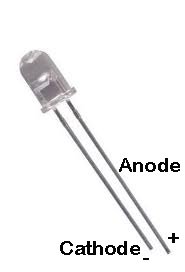
 Step 3: Fix 2 pcs of 3mm LEDs. Insert the long pin(Anode +) in the hole marked + and insert the other short pin(cathode -) in the hole marked - .

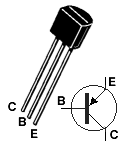
 Step 4: Fix BC547 NPN transistor.
 Step 5: Fix BC557 PNP transistor.
 Step 6: Fix 5V regulator chip(7805). Download datasheet

 Step 7: Fix reset switch. Reset switch resets the counter and set it to 0.
 Step 8: Fix 2pcs of 16-pin DIL sockets and screw terminal.
 Step 9: Fix SPDT switch.
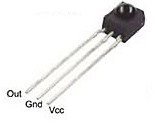
 Step 10: Fix 2pcs of seven segment display and TSOP4838 infrared receiver. The kit uses common cathode displays.
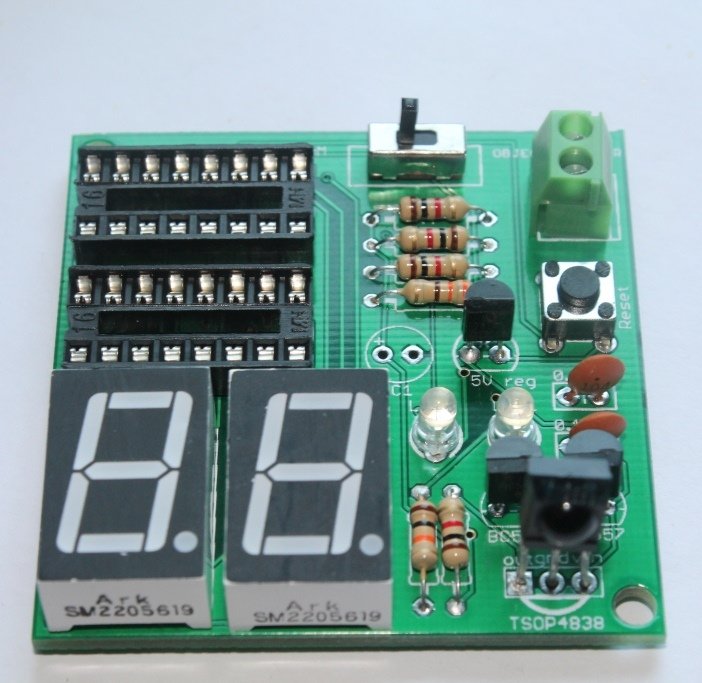
 Step 11: Fix 100uF electrolytic capacitor.
 Step 12: Connect a 9V battery.

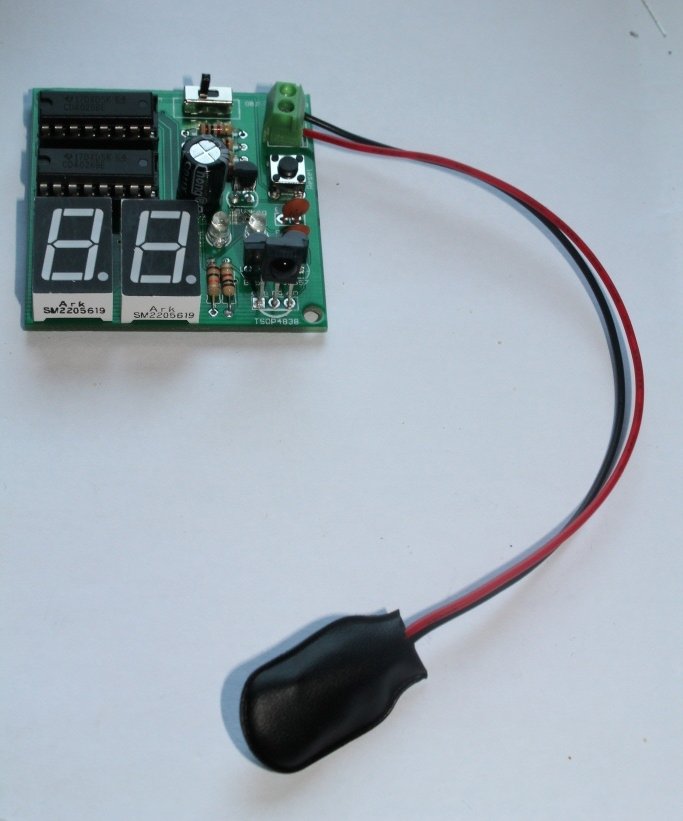
 Your counter module can be tested with a general remote control. As you press the remote control, the number on the display increases.
To use the module as an object counter, you need to assemble IR transmitter module also. Please click here for assembly instructions of infrared transmitter.
Your counter module can be tested with a general remote control. As you press the remote control, the number on the display increases.
To use the module as an object counter, you need to assemble IR transmitter module also. Please click here for assembly instructions of infrared transmitter.
 Other related tutorials: