 Download RTClib library.
Download Arduino Sketch
Download RTClib library.
Download Arduino Sketch
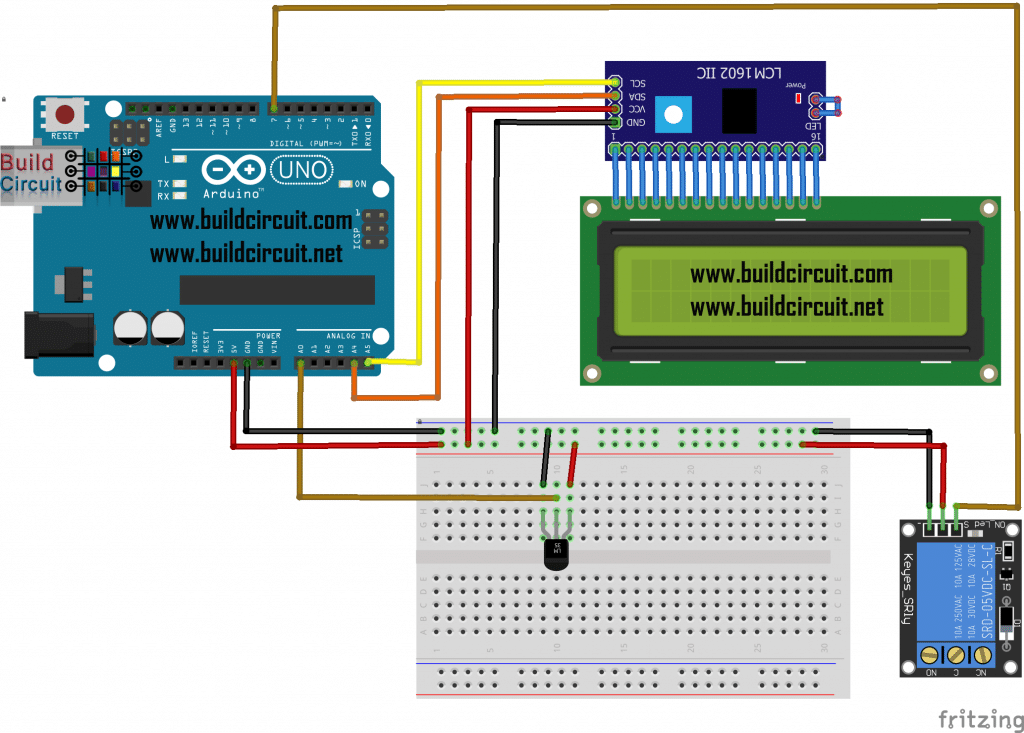
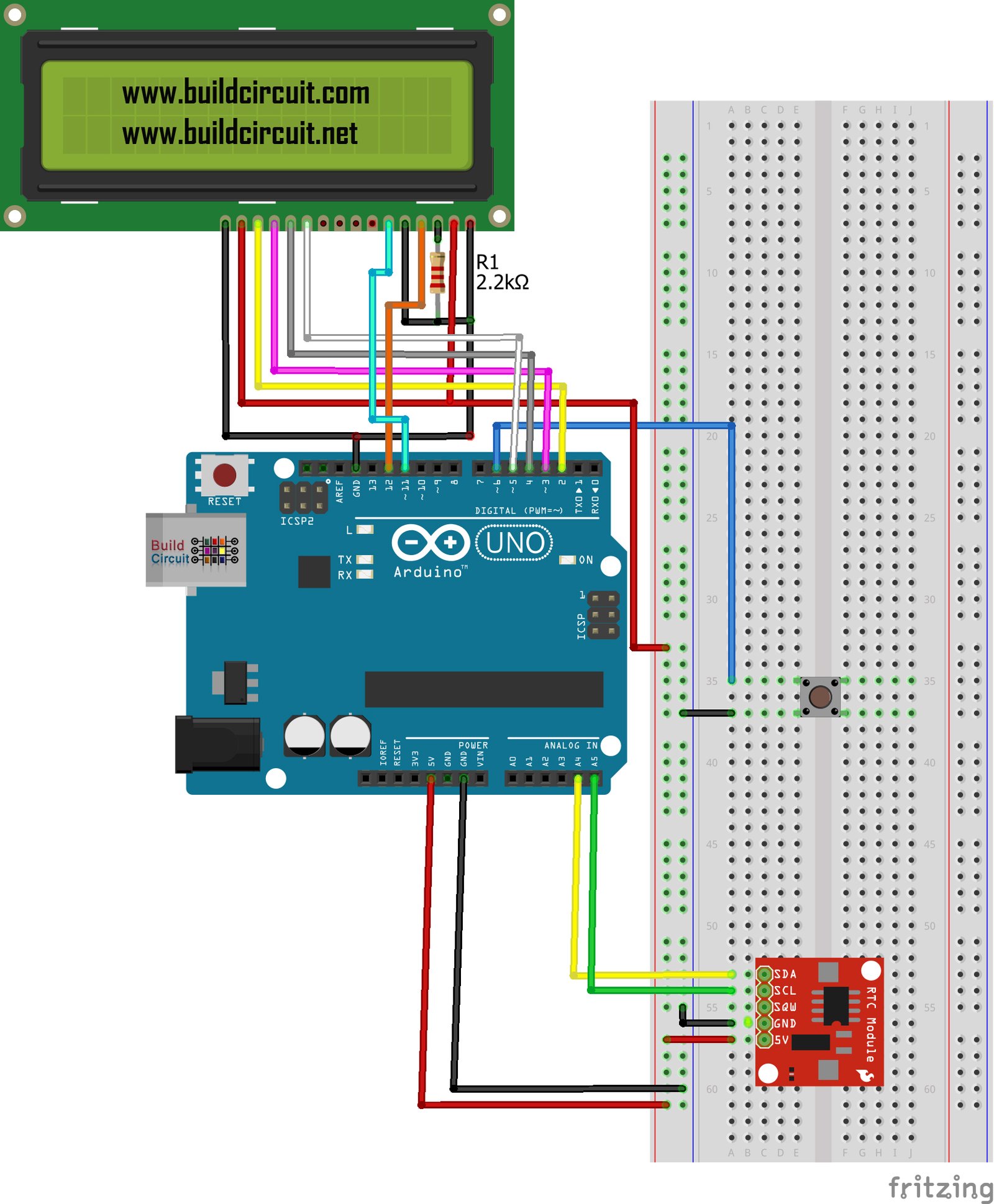
Arduino Project 13-Arduino RTC Time and Date Display on 16x2 LCD
In this tutorial, we will learn to connect and use the RTC (Real Time Clock) module to display date and time on the 16x2 LCD display.
DS1307 is called the Maxim-Dallas module for Arduino with which it allows us to have a precise system clock.
On the back of the module there is a holder for a battery and it is equipped with an EEPROM memory which, in case of power failure or low battery, keeps in memory the time and the date when the counting is stopped.
After you power up the circuit, you will notice that the time and date are incorrect. You need to set that using the tactile switch/button.
Pressing the button the information present on the sketch will be transferred to the RTC module, the button must be pressed as soon as you load the sketch and then it should no longer be used.
Download RTClib library.
Download RTClib library.
Download Arduino Sketch
Download RTClib library.
Download Arduino Sketch
🛠️ Dive into our collection of DIY Kits, 🔊 Audio Amplifiers, Digital Scoreboards, FM transmitters, and more!
🎶 Explore endless possibilities at our new store.

Keep making.
Explore more circuits, Arduino projects and practical electronics tutorials.
Discover more tutorials →