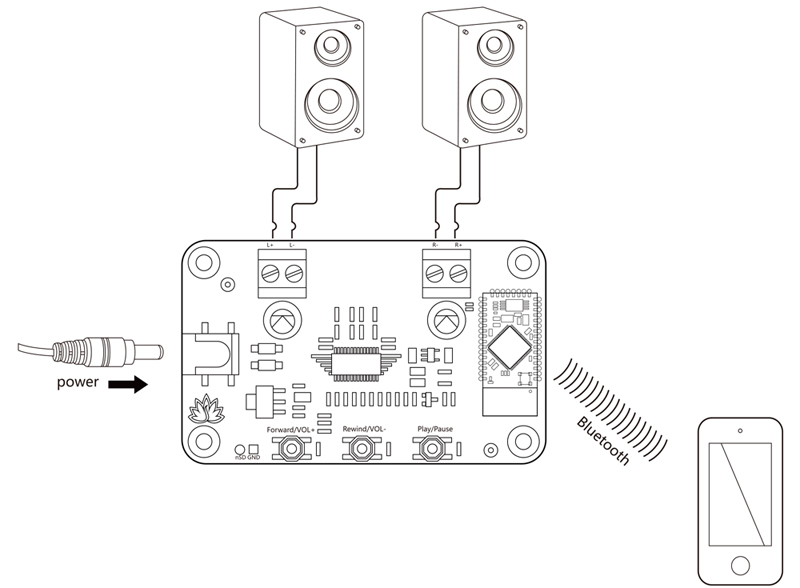
 Standard working mode
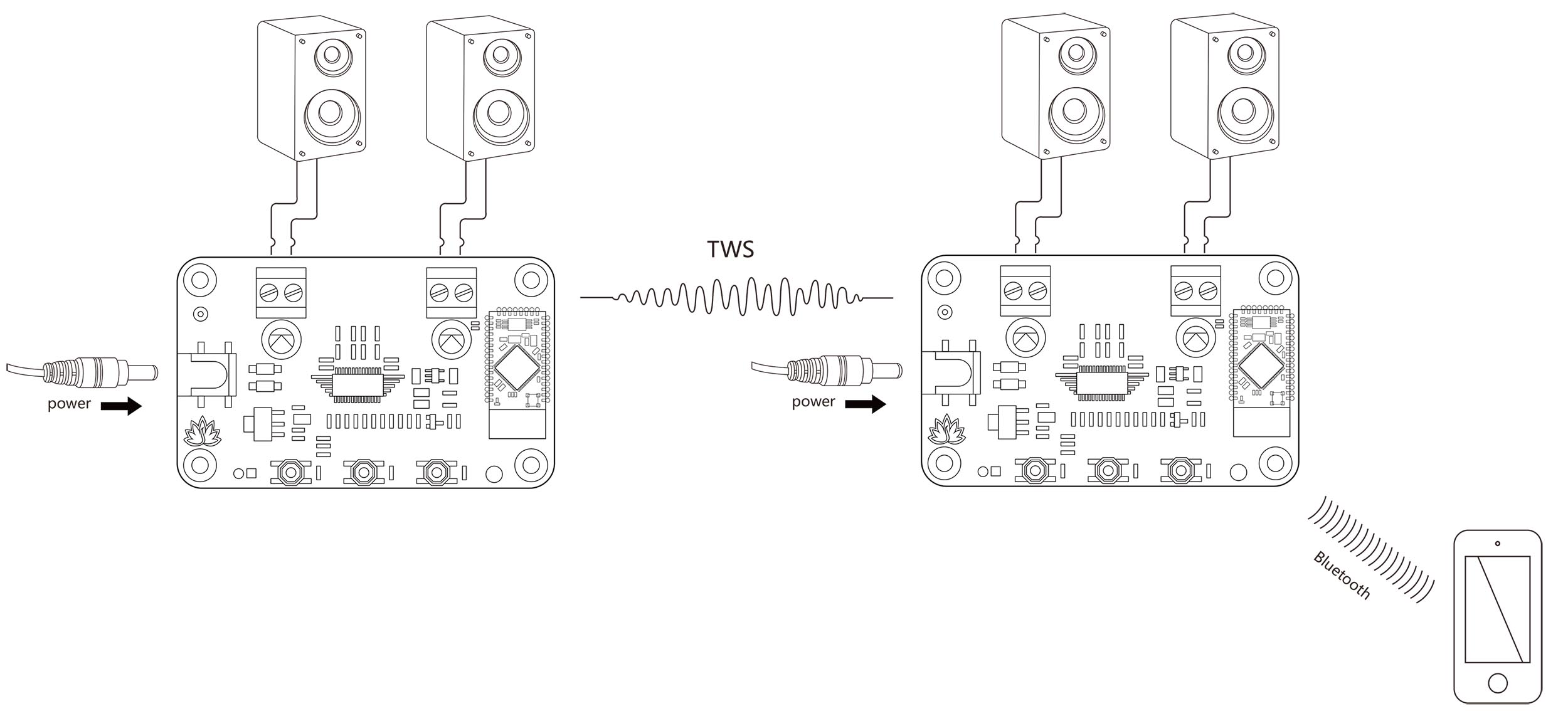 2 boards working in TWS mode
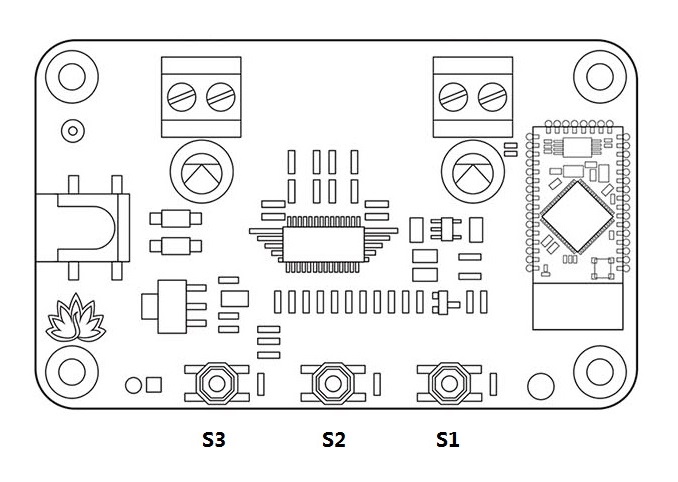
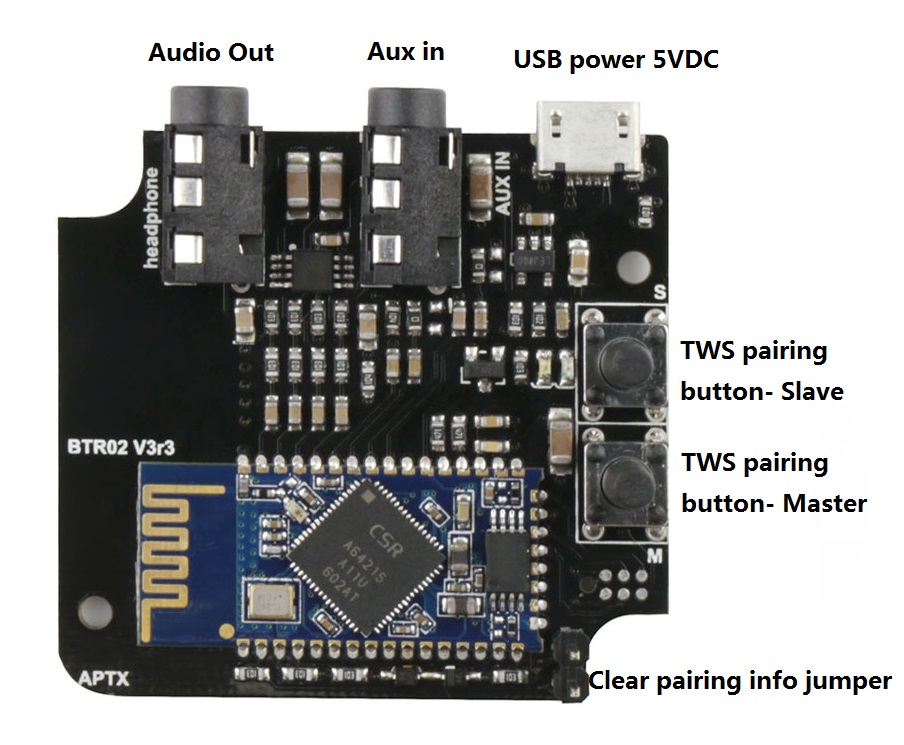
- S1 - Long press 3s into pairing mode. Long press 6s clear the pairing info.
- S1+S2 - Long press 1s into TWS slave mode.
- S1+S3 - Long press 1s into TWS master mode.
- S2+S3 - Long press 1s disconnect TWS connection.
TA = 20℃, fIN = 1 kHz sine wave, RL = 4Ω. (Unless otherwise stated)
|
Parameter |
Condition |
Min |
Typ |
Max |
|
Supply Voltage (V) |
- |
8 |
12 |
16 |
|
Quiescent Current (mA) |
SD = 2V, No load, Vcc = 12V |
- |
20 |
35 |
|
Input Sensitivity (V) |
Gain = 26dB |
- |
0.283 |
- |
|
Input Impedance (Kohm) |
- |
- |
30 |
- |
|
Gain (dB) |
- |
26 |
||
|
Output Power (W rms) |
THD+N = 10%, Vcc = 12V |
- |
8 |
- |
|
Efficiency (%) |
Vcc = 12V, RL = 8Ω, PO = 5W |
- |
86 |
- |
|
Minimum Load (ohm) |
- |
3.2 |
4 |
- |
|
Frequency Response (Hz) |
±3dB |
20 |
- |
22k |
|
Operating Temperature (℃) |
- |
-40 |
20 |
65 |
- Size: 4.8cm x 8cm
- aptX, aptX Low Latency, SBC and AAC
- TWS supported
- External mute control port
- Working voltage: DC 8V-16V
- Over/under voltage protection
- Over current protection
- Over temperature protection
- Bluetooth 4.2
- Personal computer
- Desktop amplifier
- Microphone pre-amplifier
- Vending machine, Lifts
- Interactive kiosks
Documents:

- How to change the BT name
- How to enable BT password
- How to change Bluetooth audio gains
- How to pair and set TWS mode
- Giga Control APP(Android)
- CE Test Report
This product can be purchased from here: